October is Cybersecurity Awareness Month, which makes it the right time to work through a small business cybersecurity checklist. The numbers show why. The FBI’s latest Internet Crime Report counted $20.9 billion in reported losses for 2025, up 26% in a year, with business email compromise alone costing more than $3 billion. Attackers now use AI to write convincing emails and clone voices, and small businesses are the easiest targets.
The good news is that most attacks on small businesses still succeed through the same few gaps: weak logins, unpatched devices, unverified payment requests and missing backups. This small business cybersecurity checklist covers 12 fixes you can make this month, most of them free, grouped so you can work through one area per week.
Why you need a small business cybersecurity checklist in 2026
A few trends make this year different from the checklists you may have seen before:
- AI-written phishing. The old warning signs, like bad grammar and odd phrasing, are gone. The FBI recorded over $30 million in business email compromise losses with a confirmed AI link in 2025.
- Voice clones and deepfake calls. A short clip from a video or voicemail is enough to fake an owner’s voice asking for an urgent transfer.
- Phone and text attacks. The 2026 Verizon Data Breach Investigations Report found that mobile users are significantly more likely to click than people on desktop.
- Unpatched software as the main way in. Verizon also found that exploited vulnerabilities have overtaken stolen passwords as the most common entry point, and ransomware appears in nearly half of breaches.
None of this needs a big security budget to fix. It needs habits.
The small business cybersecurity checklist, part 1: accounts and devices
Accounts and access
- Turn on multi-factor authentication everywhere that matters. Start with email, banking, payroll, your domain registrar, your website and your ad accounts. Use an authenticator app or passkeys rather than text messages where you can.
- Use a password manager. Every account gets a unique, long password. Shared logins go into shared vaults, not spreadsheets or chat messages.
- Remove old access. Check who can get into your Google Workspace or Microsoft 365, website, Meta Business portfolio, Google Ads, GA4 and accounting software. Remove former staff, old freelancers and agencies you no longer work with.
- Separate admin accounts from daily accounts. Owners and managers should not browse the web or read email while signed in as a full administrator.
Devices and software
- Patch everything, including the router. Turn on automatic updates for computers, phones, browsers and apps. Then check the firmware on your router, firewall and any VPN device, since edge devices like these are a favourite target.
- Retire unsupported systems. Windows 10 PCs without Extended Security Updates haven’t had a security fix since October 2025. Enroll them in ESU or replace them.
- Use built-in protection. Microsoft Defender on Windows and XProtect on Mac are a solid baseline for a small office. Turn on full-disk encryption with BitLocker or FileVault so a stolen laptop isn’t a data breach.
The small business cybersecurity checklist, part 2: email, data and people
Email and payments
- Set up SPF, DKIM and DMARC on your domain. These three DNS records make it much harder for criminals to send email that looks like it came from you, and they help your real emails reach inboxes.
- Make a payment verification rule. Any new payee or change of bank details gets confirmed by phone, using a number you already have, never the one in the email. Large payments need two people. Agree a code word for urgent requests so a cloned voice can’t get through.
Data and recovery
- Back up with the 3-2-1 rule, and test a restore. Keep three copies of important data, on two types of storage, with one off-site or in the cloud. A backup you’ve never restored is a guess. Our WordPress security and backup checklist shows how to apply this to your website too.
- Lock down your website. Update WordPress core, themes and plugins, remove anything you don’t use and limit admin accounts. If you’re planning a big update, read our notes on WordPress 7.0 first.
People
- Run a 15-minute monthly security briefing. Show the team one real phishing or scam example, remind them how to report it and make it clear that reporting a mistake quickly is never a problem.
Protect your marketing and ad accounts
Ad accounts are a common target because they have a payment card attached and can be used to run scam ads. A hacked Meta or Google Ads account can burn through a month’s budget in a day and take weeks to recover.
- Turn on two-factor authentication for every person in your Meta Business portfolio and Google Ads account.
- Give agencies and freelancers partner or limited access, not admin access to your personal profile.
- Set account spending limits so a takeover can’t run unlimited spend.
- Review users every quarter, using the same list as checklist item 3.
If you’ve spent time building campaigns, like the ones in our Meta Advantage+ guide, losing access to them is expensive. Ten minutes of setup prevents it.
A one-page incident plan
When something goes wrong, the first hour matters most. Write these down and keep a printed copy:
- Who to call: your IT contact, website developer, bank fraud line and cyber insurer, with phone numbers.
- What to do first: disconnect the affected device from the network, but don’t wipe it. Change passwords from a clean device.
- Money: if a payment went out, call your bank immediately. Speed improves the chance of recovery.
- Report it: in the US, report cybercrime to the FBI’s Internet Crime Complaint Center.
- Tell people: decide who informs customers or partners if their data may be affected.
How to work through the small business cybersecurity checklist in October
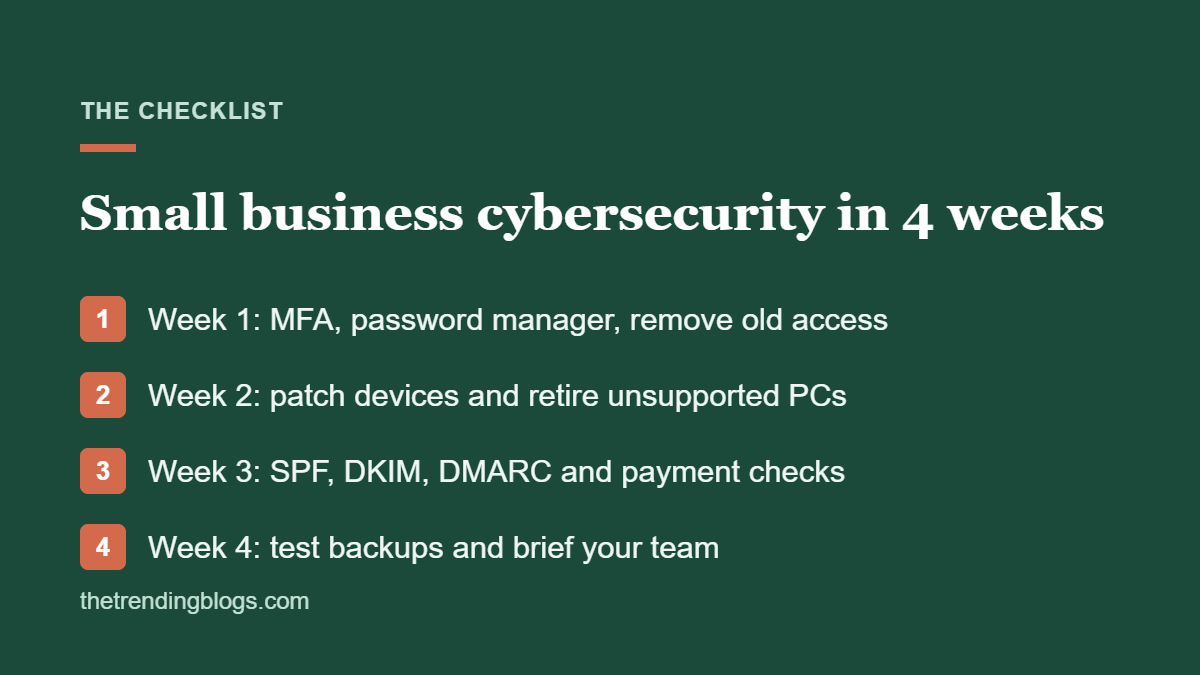
- Week 1: accounts and access (items 1 to 4)
- Week 2: devices and software (items 5 to 7)
- Week 3: email and payments (items 8 and 9)
- Week 4: backups, website and team briefing (items 10 to 12)
The CISA Cybersecurity Awareness Month page boils its advice down to four basics: strong passwords with a password manager, multi-factor authentication, recognising and reporting phishing, and keeping software updated. If you do nothing else this month, do those four. The FTC also has free cybersecurity guides for small businesses you can share with staff.
Once you’ve finished the small business cybersecurity checklist, put a reminder in your calendar for next October. Better still, add a quick security check to the monthly routine you already have. If you use our Google Search Console monthly checks, the Security issues report is part of that list.
Common questions
What should a small business cybersecurity checklist include?
At minimum: multi-factor authentication, a password manager, regular access reviews, automatic updates, retiring unsupported devices, SPF, DKIM and DMARC for email, a payment verification rule, tested backups and regular staff training. The 12 items above cover all of these.
What is the most important cybersecurity step for a small business?
Multi-factor authentication on email. Your email account can reset almost every other password you have, so it’s the first account attackers go after.
How much should a small business spend on cybersecurity?
Most items on this checklist are free or included in tools you already pay for. The main costs are a password manager, a backup service and replacing unsupported computers. Spend on those before buying anything more advanced.
Is Microsoft Defender enough for a small business?
For most small offices, yes, as long as it’s turned on, up to date and paired with automatic updates, MFA and backups. Businesses that handle sensitive data or have compliance requirements may need managed detection or an IT provider.
What should I do if an employee clicks a phishing link?
Thank them for reporting it, then disconnect the device from the network, change the passwords for any account they entered from a different device and check for unusual activity. Quick reporting limits the damage, so never punish someone for owning up.
Do small businesses need cyber insurance?
It’s worth getting a quote, especially if you store customer data or take online payments. Insurers often ask about MFA, backups and patching, so working through this checklist can make cover easier to get.
