For a small business, Instagram can be one of the easiest ways to reach potential customers. But keeping up with comments, direct messages, leads, and regular content can take a lot of time.
This is where Instagram Automation can help.
Automation allows small businesses to handle repetitive Instagram tasks more efficiently while still keeping conversations useful and personal. Instead of spending hours responding to the same questions, business owners can create simple workflows that handle common interactions automatically.
Why Instagram Automation Matters for Small Businesses
Small businesses often operate with limited time and resources. The owner may be responsible for marketing, sales, customer support, and day-to-day operations.
When Instagram activity increases, manually responding to every message can become difficult.
Automation can help with repetitive tasks such as:
- Responding to common questions
- Sending information through DMs
- Following up with interested users
- Responding to selected comments
- Sharing links or resources
- Capturing potential leads
The goal isn’t to automate every interaction. Instead, businesses can automate routine tasks and spend more time on conversations that need a personal response.
1. Start With Your Most Common Questions
Before creating an automation workflow, look at the questions customers ask most frequently.
For example:
“What’s the price?”
“Where can I order?”
“Can you send me the details?”
“Do you offer consultations?”
These are good opportunities for automation because the answers are usually straightforward.
Create short responses that provide useful information and give customers a clear next step.
2. Use Comment-Based Automation
Comments can be valuable indicators of interest.
A person commenting “price,” “link,” or “details” may already be interested in what your business offers.
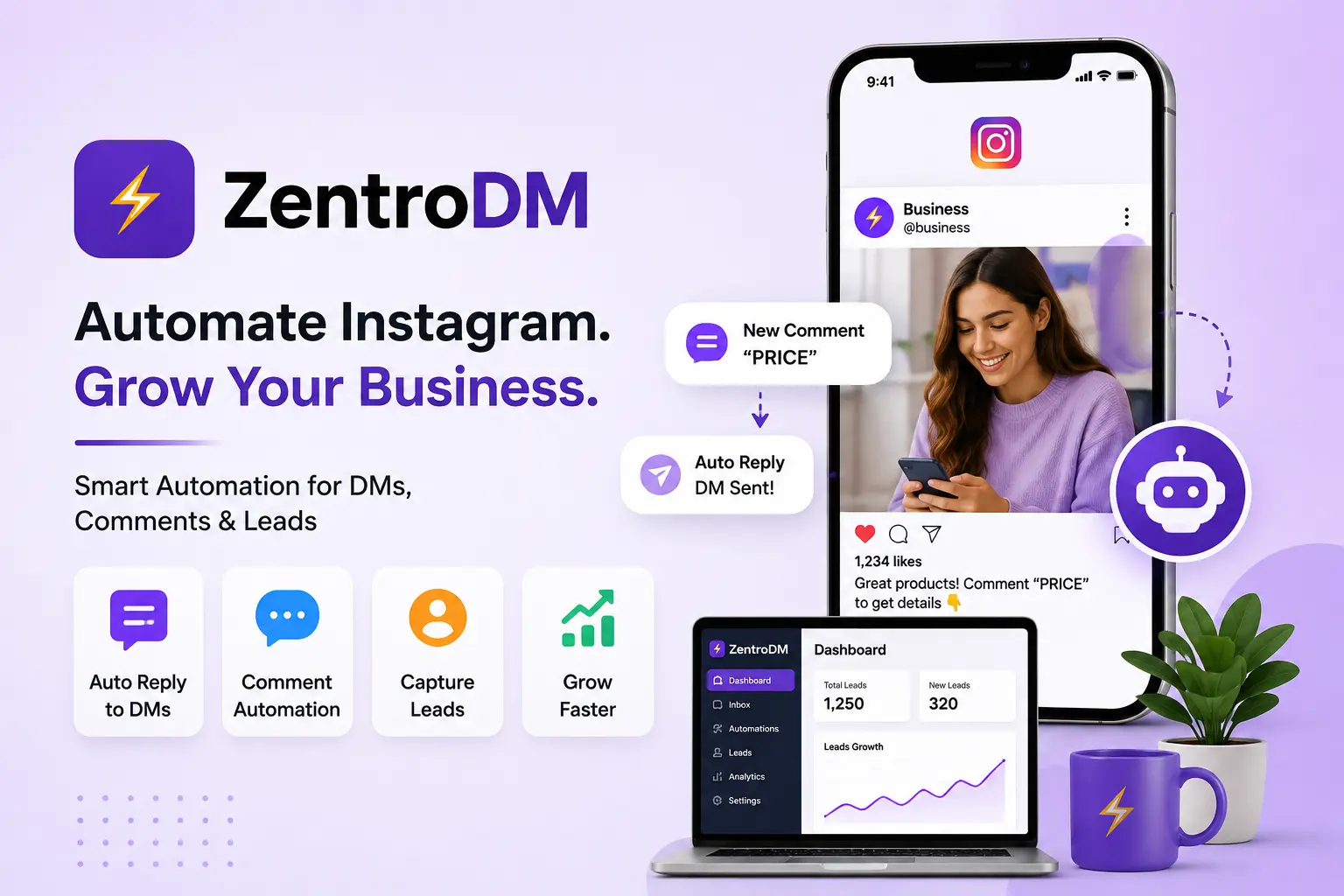
With Instagram Automation, businesses can create workflows that respond to specific keywords and continue the conversation through DMs.
For example:
Customer: “PRICE”
Automated DM: “Hi! Thanks for your interest. Here’s our latest pricing information.”
This saves time while giving the customer a quick response.
3. Automate Instagram DMs
Direct messages are often where customer conversations become more detailed.
Instead of manually sending the same information repeatedly, businesses can create automated responses for common requests.
For example, a fitness coach might automatically send information about a consultation when someone asks about coaching.
An online store might send a product link when someone requests more details.
The important thing is to make the automated message relevant to the customer’s action.
4. Keep Automated Messages Natural
Automation should not make your brand sound robotic.
Use simple, friendly language and avoid sending long blocks of promotional text.
Instead of:
“Thank you for your inquiry. Your request has been successfully processed.”
A more natural message could be:
“Hey! Thanks for reaching out. Here’s the information you requested.”
The difference may seem small, but conversational messages can make automated interactions feel more human.
5. Don’t Automate Everything
One common mistake is trying to automate every customer conversation.
Some questions are too specific for an automated response. Customers may also want to speak with a real person before making a purchase.
A good strategy is to automate repetitive interactions while keeping human support available for complex questions.
Think of automation as an assistant rather than a replacement for your customer service team.
6. What About Instagram Automation Free Options?
Businesses that are new to automation may search for Instagram Automation Free tools to test different workflows.
Starting with a free option can be useful for understanding how automation fits into your marketing process. However, businesses should look beyond price when choosing a solution.
Consider factors such as:
- Features
- Ease of setup
- Instagram integration
- Workflow flexibility
- Message customization
- Lead management
- Reliability
- Customer support
A free option may be suitable for simple needs, while a growing business may eventually require more advanced capabilities.
7. Choosing the Best Instagram Automation Tool
There isn’t one Best Instagram Automation Tool for every business.
The right choice depends on what you want to automate and how your customers interact with your brand.
Before choosing a tool, consider whether it supports the workflows you actually need.
For example, a small service business may primarily need DM automation and lead capture. An online business may also need comment-triggered messages and product-related workflows.
Choose a tool based on your business requirements rather than simply choosing the one with the most features.
8. Connect Automation With Your Sales Process
Automation becomes more useful when it connects naturally with your sales process.
For example:
Instagram Post → Comment → Automated DM → Product Information → Website → Purchase
Or:
Instagram Reel → Keyword Comment → Automated DM → Booking Link → Consultation
The exact process will depend on your business, but the principle is simple: make it easy for an interested follower to take the next step.
9. Review Your Automation Regularly
Your business information can change.
Prices may change, products may be updated, links may expire, and offers may end.
Review your automated messages regularly to make sure customers are receiving accurate information.
It’s also useful to look at performance data and identify which workflows generate the most meaningful conversations or leads.
10. Focus on the Customer Experience
The purpose of automation isn’t simply to send more messages.
It should make the customer experience faster and easier.
Before activating a workflow, ask:
Does this message answer the customer’s question?
Is the next step clear?
Can the customer reach a real person if necessary?
If the answer is yes, you’re more likely to create an automation experience that actually helps people.
A Simple Instagram Automation Strategy for Small Businesses
Small businesses don’t need dozens of complicated workflows to get started.
A simple strategy could look like this:
Step 1: Choose one popular Instagram post or Reel.
Step 2: Add a clear call to action, such as “Comment GUIDE.”
Step 3: Create an automated response for that keyword.
Step 4: Send useful information through DM.
Step 5: Add a relevant next step, such as a website link or booking page.
Step 6: Monitor the results and improve the workflow.
Once the first workflow works well, you can create additional automations for other customer questions and campaigns.
Final Thoughts
Instagram marketing doesn’t have to become another full-time job for small business owners.
With thoughtful Instagram Automation, businesses can reduce repetitive work, respond to customers faster, and create a smoother path from Instagram engagement to potential sales.
The key is to keep automation simple, useful, and customer-focused. Start with repetitive tasks, use natural messages, keep human support available, and choose an automation solution that fits your actual business needs.
Used this way, Instagram automation can become a practical part of a small business’s marketing strategy rather than just another piece of technology.
