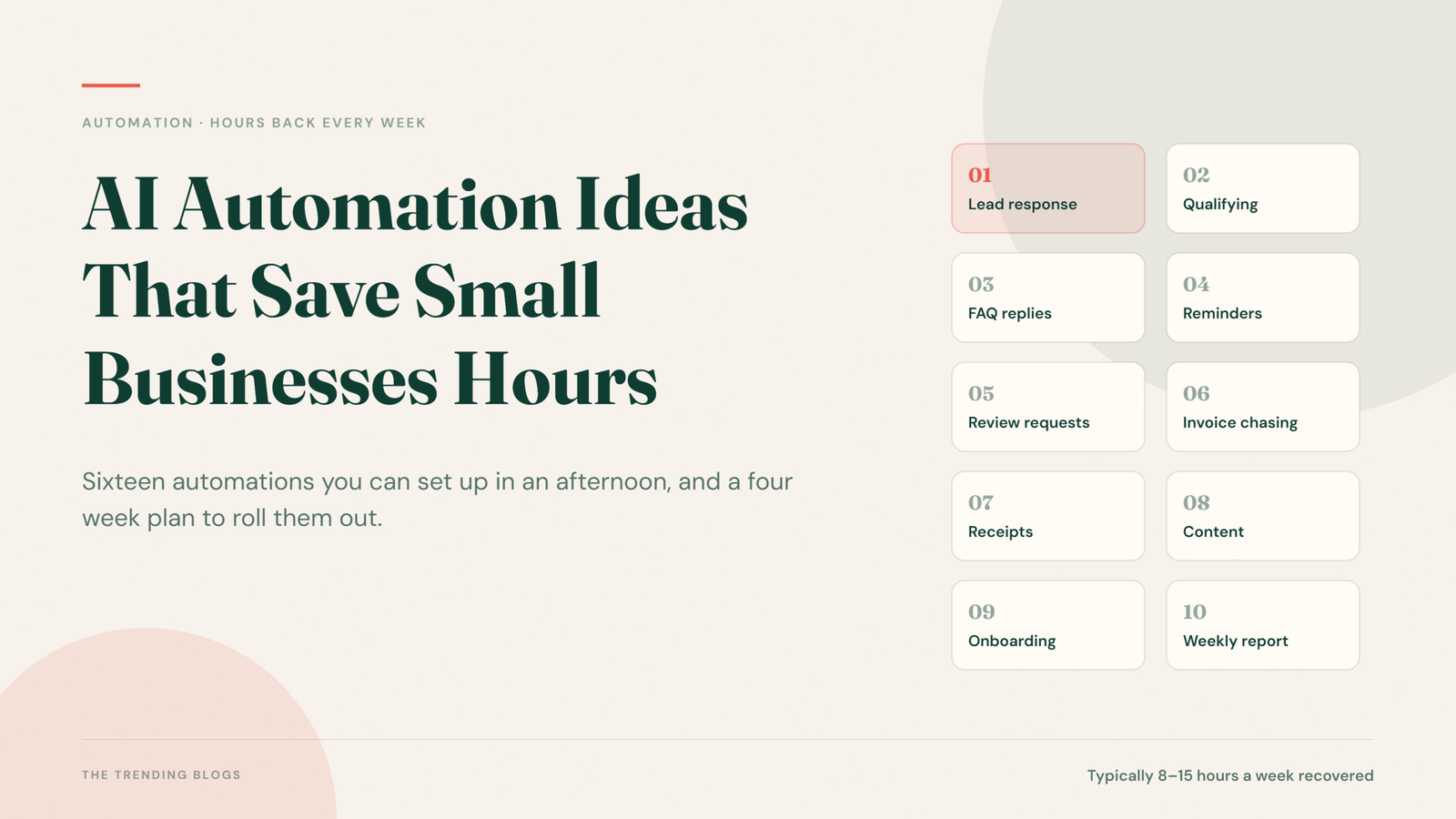
Most small business automation advice fails for the same reason: it describes an impressive system nobody has time to build. So this list works the other way round. Every idea below targets a specific recurring task, can be set up in an afternoon, and gives back time you are losing every single week. Think of it as AI automation for small business owners who have an afternoon, not a development team.
AI automation for small business only works when it targets a specific, repeating task. Pick two. Build them properly. Come back for more once those are running without you.
First, Find the Right Tasks
For one week, note every task you repeat. Then score each one on three questions: does it happen often, does it follow the same steps every time, and does it require your judgement? The best automation candidates are frequent, repetitive and judgement free.
Anything requiring real judgement should stay manual, or be automated only up to the point of a draft that you approve.
Lead and Enquiry Handling
Instant response to every enquiry
Connect your website form to an automatic acknowledgement that goes out within a minute, containing what happens next and a booking link. Speed of first response is one of the strongest predictors of whether a lead converts, and this removes the risk entirely. You will need an automation platform and a CRM for this, both covered in our guide to the AI tools every small business should use.
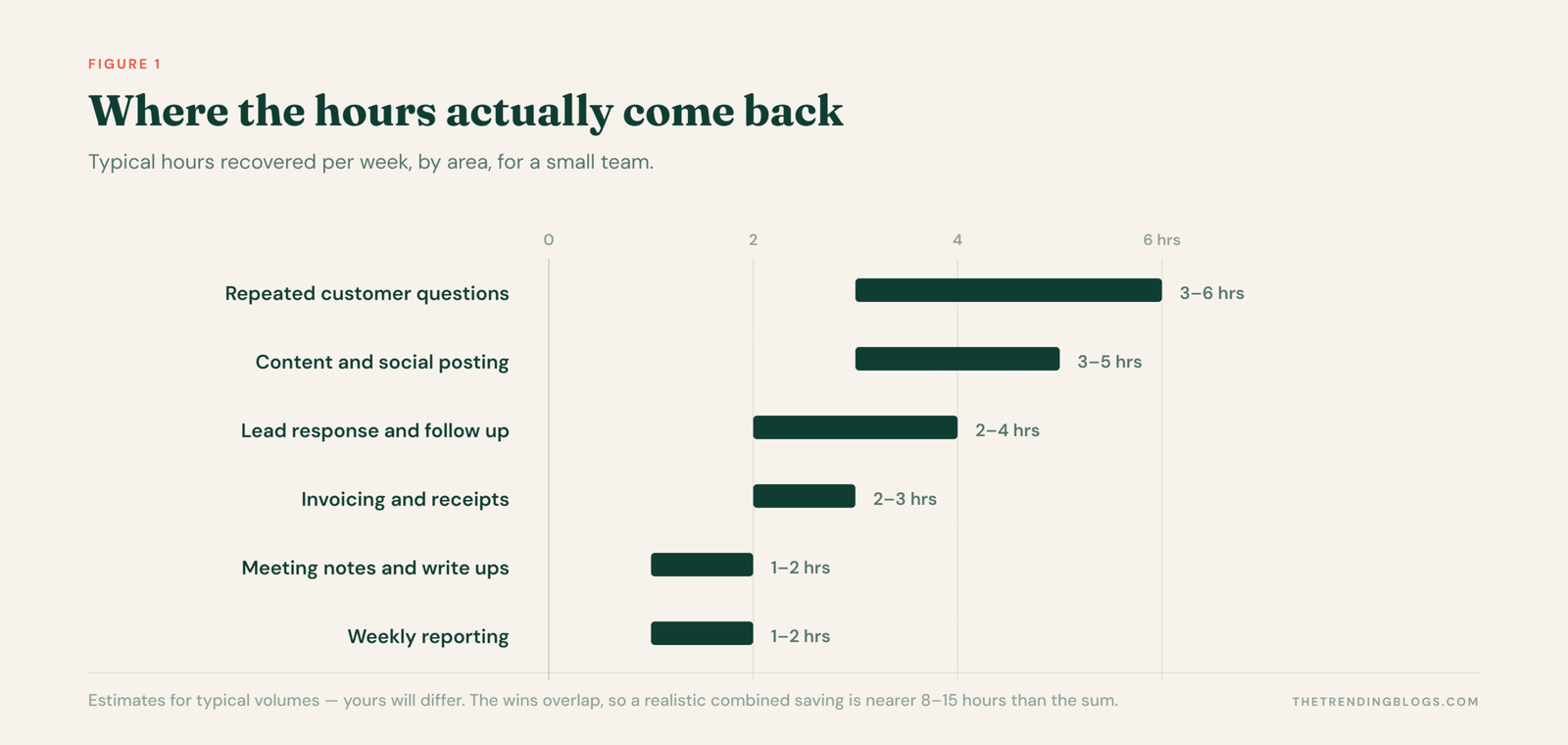
Roughly two to four hours a week, and a measurable lift in conversion.
Automatic lead qualification and routing
Have an AI step read each enquiry, extract the budget, location and service requested, then tag it and route it. Big jobs go straight to your phone. Out of area enquiries get a polite referral. Everything else lands in the normal queue.
Follow up sequences that run themselves
Most lost sales are simply unfollowed. A three touch sequence over ten days, stopping automatically the moment someone replies, recovers deals you are currently writing off.
Customer Service
Answer your five most repeated questions automatically
Opening hours, pricing ranges, delivery times, parking, whether you cover a particular area. Put these in a chat widget trained on your own FAQ page and in your Instagram and WhatsApp auto replies. Always keep a visible route to a human.
Often three to six hours a week for a business with steady enquiry volume.
Appointment reminders and rebooking
An automated reminder 24 hours before, with a one tap reschedule link, cuts no shows sharply. Add a rebooking prompt at the interval that suits your service and a share of it happens without anyone chasing.
Review requests at the right moment
Trigger a review request a day or two after a completed job, when satisfaction is highest. Route incoming reviews so that positive ones post to the team and negative ones alert you immediately.
Admin and Finance
Invoice chasing on a schedule
Set polite automated reminders at three days overdue, then seven, then fourteen, escalating in tone. Almost nobody enjoys chasing money, which is exactly why it slips. Automating it improves cash flow without a single awkward conversation.
Receipts and expense capture
Photograph a receipt, let your accounting app read and categorise it, and forward supplier invoice emails to a dedicated inbox that files them automatically. This alone can remove most of a monthly bookkeeping session.
A weekly numbers summary
Schedule one message every Monday with last week’s revenue, leads, spend and outstanding invoices. Five minutes of reading replaces an hour of opening dashboards, and you notice problems while they are still small.
Marketing and Content
One idea into a week of posts
Record a two minute voice note about a job you just finished. Have it transcribed, turned into a short post, a caption and an email paragraph, then queued in your scheduler for your approval. Content stops depending on inspiration. The same approach applies channel by channel — here is how to automate Instagram marketing specifically.
Commonly three to five hours a week.
Turn finished work into proof
When a job is marked complete, trigger a prompt for before and after photos, then a draft case study built from the job details. Most small businesses do excellent work that nobody ever sees.
Competitor and mention monitoring
A weekly digest of competitor pricing or offer changes and any mention of your business name takes fifteen minutes to set up and replaces a task you were probably doing at random anyway. It is also becoming more important as AI changes how customers find businesses.
Internal Operations
- Meeting notes to tasks. An AI notetaker produces the summary and action items, which post straight into your task list.
- New client onboarding. One trigger creates the folder, sends the welcome pack, schedules the kickoff and adds the checklist.
- Staff scheduling reminders. Shift confirmations and timesheet prompts sent automatically, not chased in a group chat.
- Stock and reorder alerts. A threshold alert on your key items prevents the emergency supplier run.
Rules That Keep Automation From Backfiring
- Keep a human in the loop where it matters. Anything that quotes a price, makes a promise or resolves a complaint should be drafted automatically and sent by a person.
- Automate a good process, never a broken one. Write the steps down manually first. If they do not work by hand, they will not work faster.
- Build a failure alert. Silent automations fail silently. You want to know the day it stops, not the month.
- Sound like yourself. Write the templates in your own words. Customers can tell, and generic messages undo the goodwill the speed created.
- Review quarterly. Automations outlive the processes they were built for. Check they still reflect how you work.
A Realistic First Month
- Week one: instant enquiry response and appointment reminders.
- Week two: your five repeated questions answered automatically.
- Week three: invoice chasing and receipt capture.
- Week four: the Monday numbers summary and automated review requests.
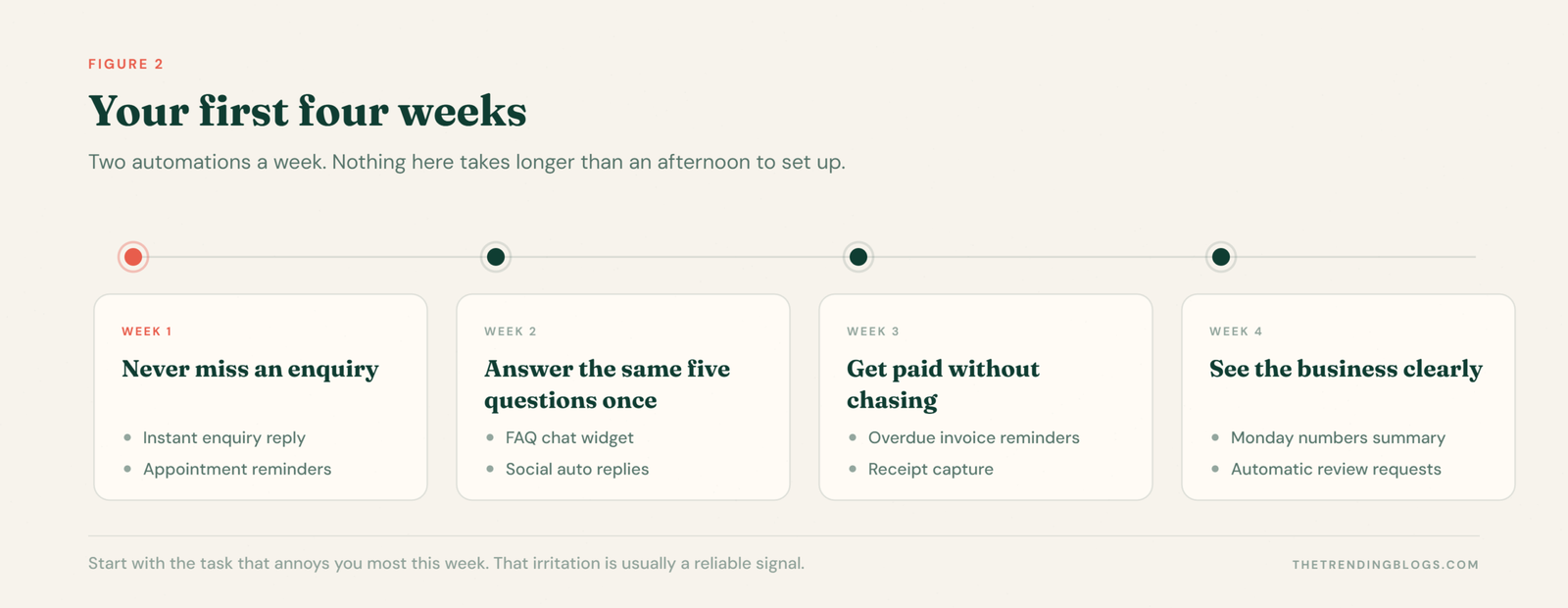
Four weeks, a handful of hours of setup, and most businesses recover somewhere between eight and fifteen hours a week from that list alone.
AI Automation for Small Business: Common Questions
What should a small business automate first?
The instant reply to a new enquiry. It is quick to build, it removes the delay that loses the most deals, and you will see the effect within a week.
Do I need a developer to set up AI automation?
For everything on this list, no. Automation platforms and modern business apps handle these workflows with visual builders, and most take an afternoon rather than a project.
How many hours can automation realistically save?
Most small businesses recover somewhere between eight and fifteen hours a week once the basics are running. The wins overlap, so the true figure is usually lower than adding each saving together.
What should never be automated?
Anything that quotes a price, makes a promise or resolves a complaint. Draft those automatically if you like, but let a person read and send them.
Is AI automation worth it for a very small business?
Often more so, because there is nobody else to absorb the admin. One person doing everything gains proportionally more from removing repeated tasks than a team that can share them.
Final Thoughts
Automation is not about running your business without you. It is about making sure the parts that need you actually get you. Every hour spent copying data between apps or retyping the same answer is an hour not spent on customers, pricing or the work itself.
Start with the task that annoys you most this week. That irritation is usually a reliable signal.
Related Reading
Read next: when a task keeps escaping the flowchart, it has stopped being an automation problem — here is what AI agents for small business actually do well in 2026, and where they still fail.
