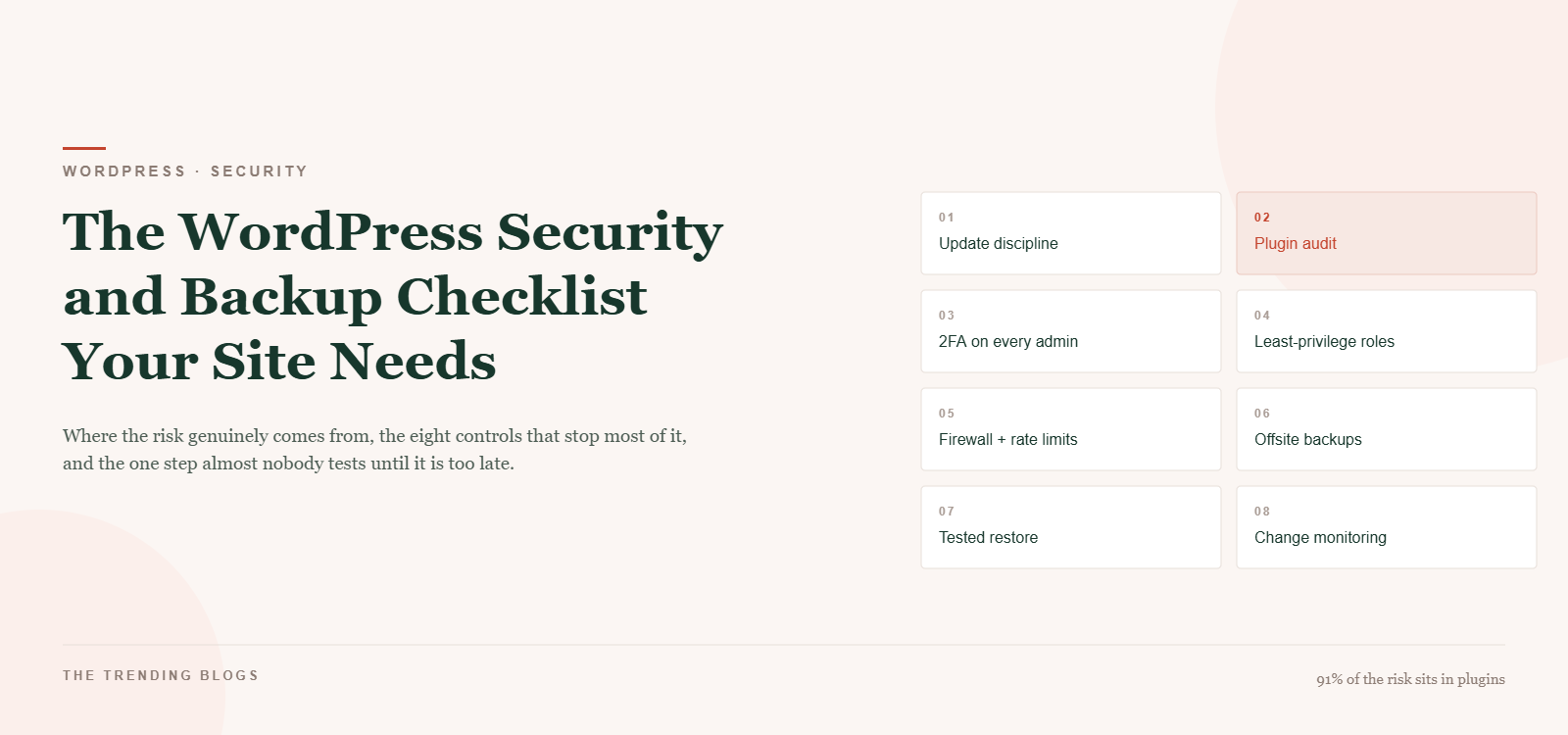
Most small business WordPress sites are not hacked by anyone who has heard of them. They are swept up by automation that scans the web for a specific vulnerable plugin version and takes whatever it finds. That is oddly reassuring, because it means the defence is not clever — it is boring, repeatable maintenance that almost nobody actually does. This WordPress security checklist turns that maintenance into eight controls you can keep up with.
This is a WordPress security checklist written around where the risk genuinely sits, not around the plugins with the best marketing. And it ends where every honest version of this list has to end: with a restore you have performed yourself, on purpose, before you needed it.
Where the risk actually is
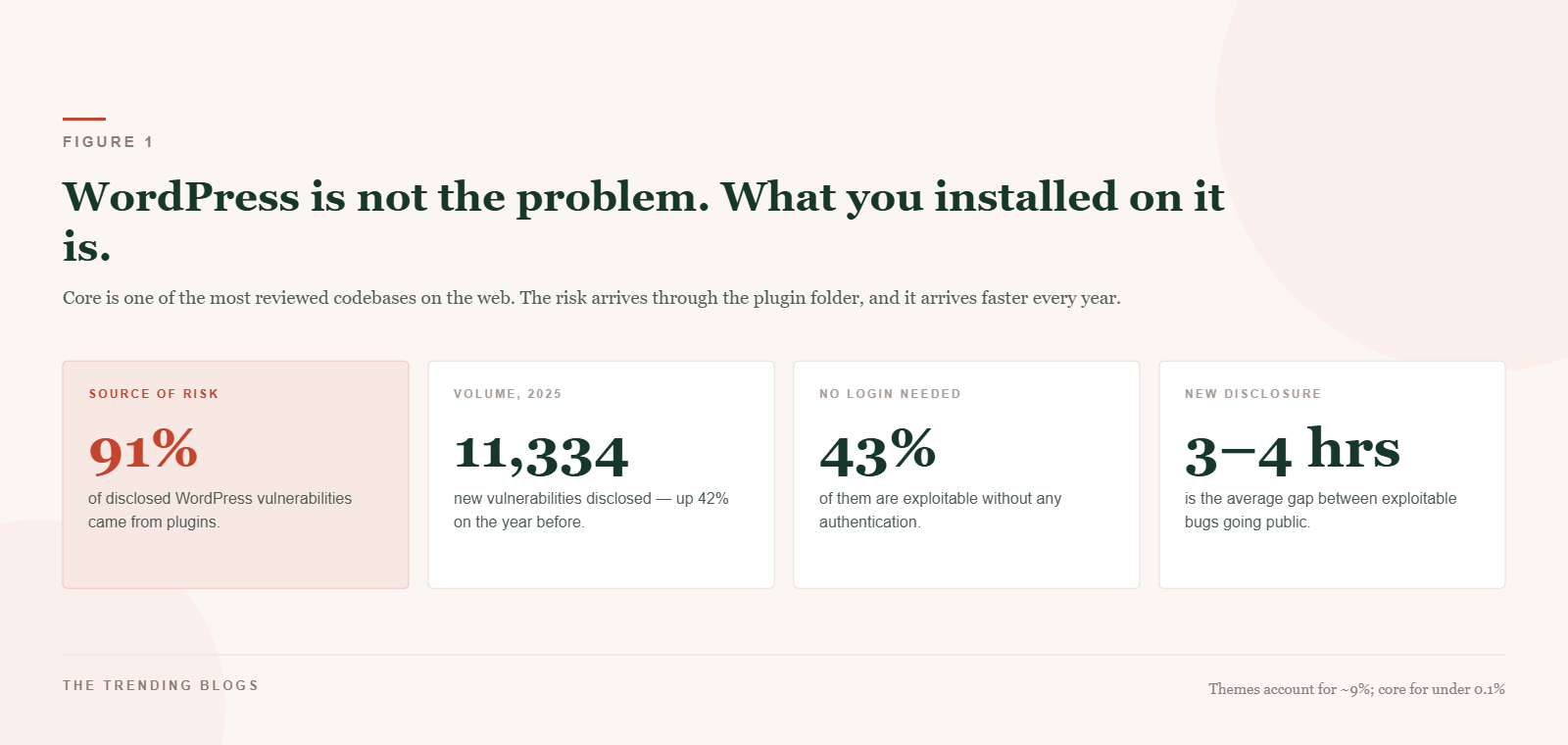
WordPress core is among the most scrutinised codebases on the web and produces a handful of vulnerabilities a year. Plugins produce thousands. Of the vulnerabilities disclosed across the ecosystem, roughly 91% originate in plugins and about 9% in themes; core accounts for well under 1%.
The volume is the striking part. Around 11,334 new vulnerabilities were disclosed in 2025, up about 42% on the year before, and early 2026 has averaged over 250 plugin vulnerabilities a week. That works out to a new exploitable issue every three to four hours. Roughly 43% of them require no login at all to exploit, and cross-site scripting accounts for close to half of everything reported.
The practical reading: your attack surface is a direct function of how many plugins you installed and how quickly you update them. Every plugin is a permanent subscription to somebody else’s security practices.
The WordPress security checklist: eight controls that stop most of it
1. Update on a schedule, not a whim
Enable automatic updates for minor core releases and for plugins you trust. Review majors manually on staging. The gap between a disclosure and a mass scan is now measured in hours, so a monthly update habit is not a habit — it is a window.
2. Audit the plugin list quarterly
Delete anything deactivated: inactive plugins are still files on disk and still exploitable. For everything remaining, check the last update date and the support forum. A plugin abandoned two years ago is a scheduled outage. Fewer plugins is the single highest-leverage security decision available to you.
3. Two-factor on every administrator
Passwords leak in breaches that have nothing to do with your site, and credential stuffing is entirely automated. Two-factor authentication on every admin account removes an entire attack class for about ten minutes of setup. No shared logins — one account per person, so an audit log means something.
4. Least privilege on roles
Your content writer is not an administrator. Your developer s agency does not need a permanent admin account after the project ends. Most compromises that begin with a legitimate login begin with a legitimate login that had more power than the job required.
5. Rate limit and firewall the login
Brute-force attempts against WordPress logins rose sharply in recent years and run continuously in the background of every site. Limit login attempts, add a firewall at the host or CDN layer, and disable XML-RPC unless something you use genuinely needs it.
6. Harden the boring settings
Disable file editing from the dashboard, block PHP execution in the uploads directory, force HTTPS everywhere, and remove the default admin username. Each of these is a one-time change that closes a door attackers still routinely try.
7. Monitor for change
You want to hear about a modified core file, a new admin user or an unfamiliar scheduled task from a monitoring tool rather than from a customer. Uptime monitoring belongs here too, because the first symptom of a compromise is frequently just a site that is slow or intermittently down.
8. Back up as if the site will be lost
Which it might be, and not necessarily to an attacker. Failed updates, bad hosting migrations and a fat-fingered database query all end in the same place, and the recovery is identical.
Backups: three copies, two locations, one tested restore
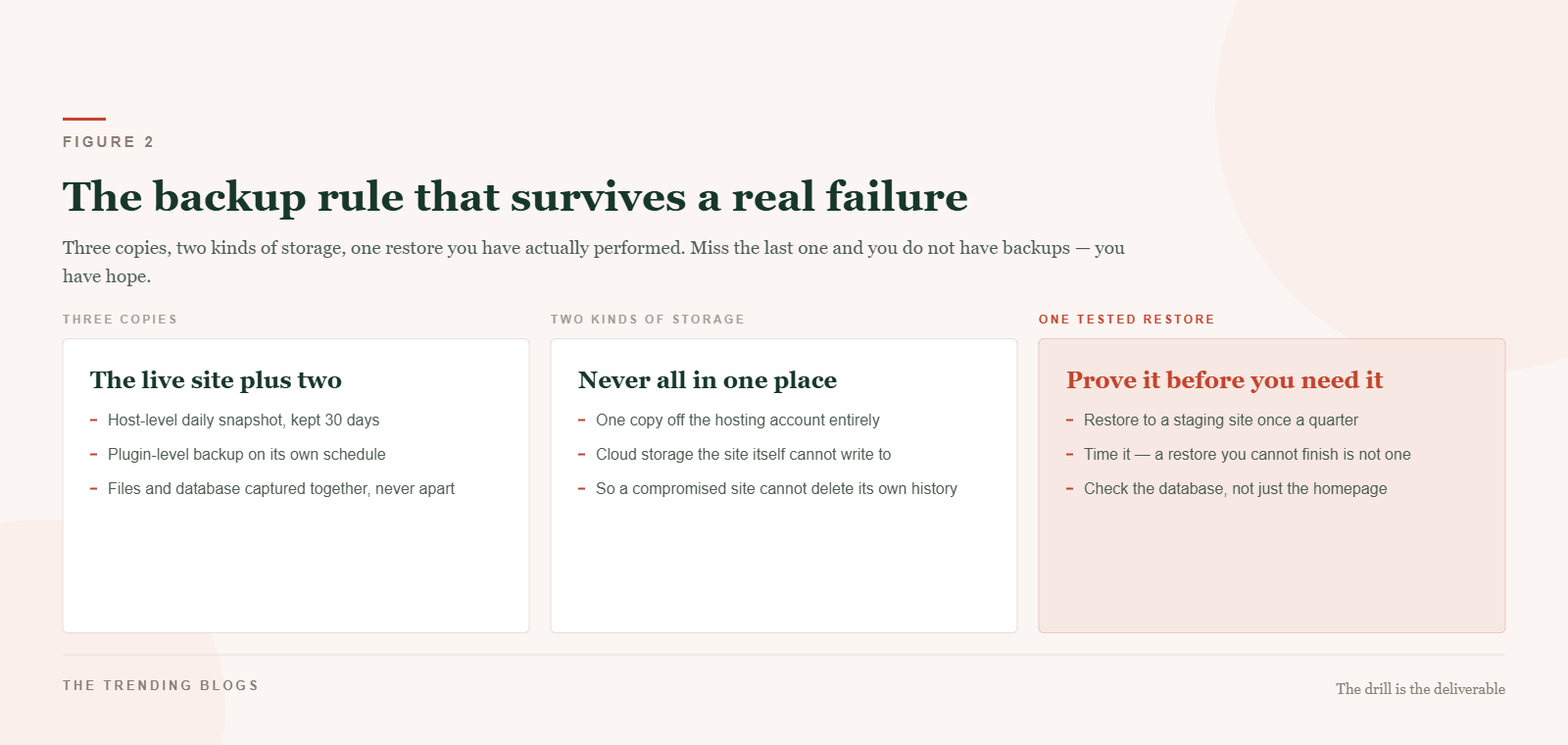
Three copies means the live site plus two independent backups — typically a host-level daily snapshot and a plugin-level backup running on its own schedule. Two locations means at least one copy lives entirely outside the hosting account, in storage the site itself cannot write to. That detail matters: a compromised site with credentials to its own backup destination can delete its own history.
One tested restore is the part that separates a backup strategy from a backup feeling. Once a quarter, restore to a staging site and time it. Check the database, not just whether the homepage loads. If you cannot complete the restore, you do not have backups — you have files you hope are backups. Also capture files and database together; a database restored against mismatched plugin versions is its own outage.
The first hour, if it happens anyway
- Take the site offline or into maintenance mode rather than leaving a compromised page serving visitors.
- Change every password — WordPress admins, hosting, FTP, database — and force logout of all sessions.
- Tell your host. Shared hosting compromises frequently start next door, and their logs are better than yours.
- Restore from a backup dated before the earliest suspicious change, rather than trying to clean a live site by hand.
- Only then work out the entry point, and patch it before restoring public access. A restore without a patch is a countdown.
Do not skip the reporting step either: a hacked site that served spam or malware can carry search penalties long after the files are clean, which is a slower and more expensive problem than the hack.
Things that feel like security and are not
- Hiding the login URL. Mild friction against scanners, no defence against a plugin vulnerability. Useful, not protective.
- Installing three security plugins. They conflict, they slow the site, and each one adds to the surface you were trying to reduce. One, configured properly.
- A backup you have never restored. Discussed above, and worth repeating because it is the most common failure of all.
- Assuming a managed host handles it. Managed hosting handles core and infrastructure. Your plugin choices remain entirely your problem.
- Security through low traffic. Automated scanning does not care how many visitors you get.
A rhythm you will actually keep
| Cadence | Task | Time |
|---|---|---|
| Weekly | Apply pending updates; scan the site; confirm the latest backup exists | 15 minutes |
| Monthly | Review users and roles; check uptime and error logs; test one form end to end | 30 minutes |
| Quarterly | Plugin audit and deletions; restore to staging and time it; rotate admin passwords | 90 minutes |
That is roughly four hours a year. It is dramatically less than a single recovery costs, and it is the sort of recurring operational work worth automating the reminders and reporting for — patterns for that in AI automation ideas that save small businesses hours every week, with tooling in our shortlist of AI tools for small business.
Why this is a marketing problem too
Security work looks like an IT line item and behaves like a marketing one. A site that goes down takes your paid traffic with it — every rupee or dollar of it, which is a real cost if you are running the budgets discussed in Meta Ads vs Google Ads for small business. Downtime and malware warnings also erode exactly the corroboration that Google Business Profile optimization for AI search depends on, because a profile pointing at an unreachable site is a weaker entity.
And the same maintenance discipline that keeps a site secure keeps it fast, which is a ranking and conversion input in its own right — we documented the process in how we cut load time from 6.8s to 1.2s. If you are handing all of this to somebody else, the questions worth asking are in how to choose the right web development agency; a maintenance plan with a named restore procedure is a reasonable thing to require in writing.
The short version
Ninety-one percent of the risk is in your plugin folder, so install fewer and update them faster. Put two-factor on every admin, cut roles back to what the job needs, and rate limit the login. Then back up in three copies across two kinds of storage, and restore one of them to staging every quarter so you find out now rather than later. None of this is sophisticated. That is precisely why it works.
