Every missed call is a lead you paid for and didn’t get, which is why an AI receptionist for small business has become one of the most practical AI tools of 2026. For service businesses, the phone still brings in the highest-intent customers: someone with a leaking roof, a broken AC unit or a court that needs resurfacing before the season starts. So if nobody picks up, most of them call the next business on the list.
An AI receptionist answers that call 24/7, handles common questions, books appointments and passes the important calls to a person. Also, prices have dropped to the point where the cost is often less than one booked job a month. This guide covers what an AI receptionist can and can’t do, what it costs in 2026, the main types of tools and a seven-step setup that protects your leads.
What is an AI receptionist?
An AI receptionist for small business is a voice agent that answers your phone line. It speaks naturally, understands what the caller wants and follows the rules you give it. Most can:
- Answer questions about hours, services, service areas and general pricing
- Book, move or cancel appointments in your calendar
- Qualify new leads with a few questions and save the answers to your CRM
- Transfer urgent or complex calls to the right person
- Text the caller a confirmation or a link and send you a call summary
In fact, the best ones sound like a well-trained front desk person, not a phone menu.
What an AI receptionist can and can’t handle
It’s good at:
- After-hours, weekend and lunch-break calls
- Overflow when your team is already on the phone
- Repetitive questions, like “Do you service my area?” or “Are you open Saturday?”
- First-step lead qualification and booking
It still struggles with:
- Upset customers who need empathy and a decision
- Detailed quotes that depend on site visits or judgement
- Complicated account issues across several systems
- Anything you haven’t explained in its instructions
So plan for a handoff. The goal is to make sure every caller gets a fast, useful answer, not to stop people from reaching a human.
How much does an AI receptionist cost in 2026?
For an AI receptionist for small business, pricing models vary more than the features do, so match the model to your call volume. Ranges below come from published 2026 pricing guides, including Ringly’s AI receptionist cost breakdown and Dupple’s tested comparison. Prices change often, so check the vendor’s site before you buy.
| Pricing model | Typical 2026 range | Best for |
|---|---|---|
| Flat monthly plan | About $29 to $349 per month | Predictable call volume |
| Per call | About $2 to $10 per call | Low call volume |
| Per minute | About $0.19 to $0.50 per minute | Short, simple calls |
| Developer platforms | From about $0.05 to $0.12 per minute, plus extras | Custom builds by an agency or developer |
| AI with human backup | From about $95 per month | High-value calls that need a person sometimes |
Entry-level tools like Dialzara and Reception.ai start around $29 a month, Rosie around $49, Goodcall around $79, Smith.ai’s AI plan around $95 and My AI Front Desk around $99. Meanwhile, if you already use GoHighLevel, its AI Employee add-on is about $97 per month per sub-account for unlimited use, with a pay-as-you-go option for lower volumes.
Quick ROI check
First, do the maths with your own numbers. Suppose you miss 40 calls a month, a quarter of those callers would have booked and an average job is worth $400. That’s 10 jobs, or $4,000 a month, that end up with a competitor instead. Even if an AI receptionist recovers only a third of that, it pays for itself many times over at $99 a month. However, if your average job is small and you rarely miss calls, the case is weaker.
The four main types of AI receptionist
- Ready-made AI receptionists (Dialzara, Rosie, Goodcall, My AI Front Desk): fastest to set up, usually in under an hour, with less flexibility.
- Built into your phone system or CRM (Zoom, RingCentral, GoHighLevel): one less tool to manage and call data goes straight into your existing system.
- Developer platforms (Retell AI, Vapi, Synthflow): fully custom, cheap per minute, but someone has to build and maintain it.
- AI plus human backup (Smith.ai and similar): AI handles the routine calls and trained staff step in for the rest. Costs more but suits high-value leads.
If you’re still mapping where AI fits in your business, our guide to AI agents for small business covers the bigger picture.
How to set up an AI receptionist for small business in 7 steps
1. Look at your call data first
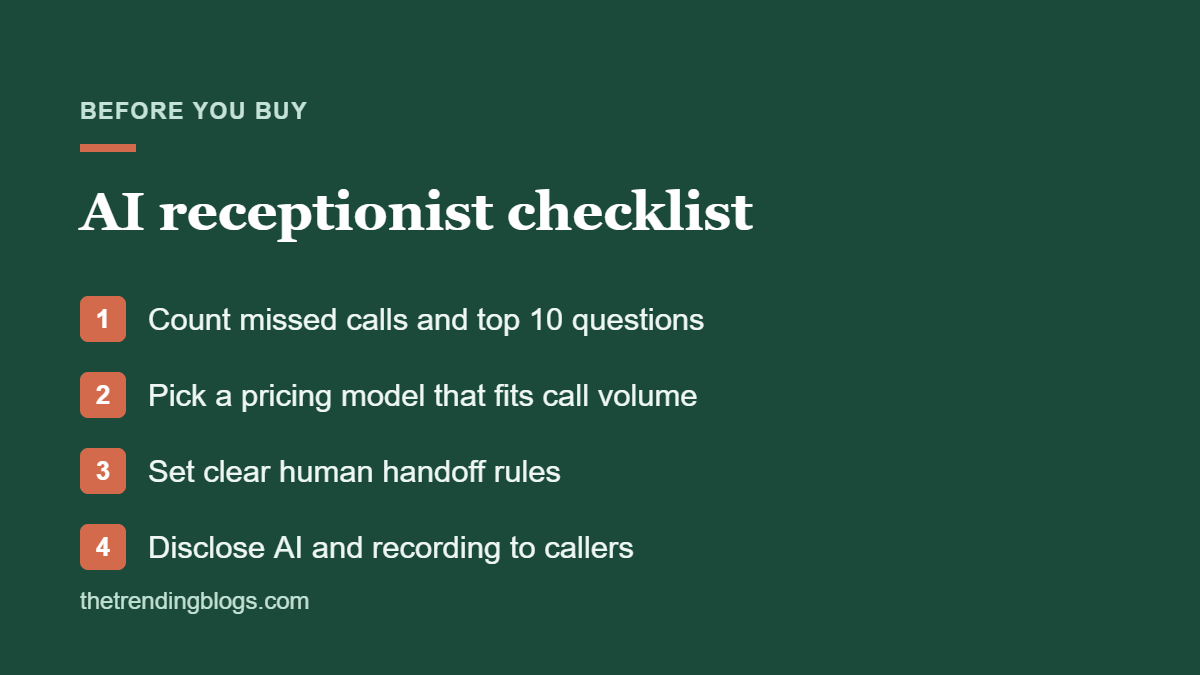
First, pull a month of call logs. Note how many calls you miss, when they happen and the 10 questions callers ask most. This tells you what the AI needs to handle, and it also gives you a baseline to measure against.
2. Write the knowledge base
Give it your services, rough price ranges, service area (list towns or ZIP codes), hours, booking rules, cancellation policy and common objections. Clear, specific information is the difference between a helpful call and a frustrating one. Keep it consistent with your Google Business Profile so customers hear the same answers everywhere.
3. Decide when it hands off
Write simple rules: emergencies go to the on-call number, existing customers with problems go to the office, and anyone who asks for a person gets one. Above all, every caller should have an easy way out.
4. Connect your calendar and CRM
Bookings should land in your real calendar. In addition, every call should create or update a contact with a summary and recording. If your tools don’t connect directly, use an automation platform instead. Our Zapier vs Make vs n8n comparison can help you choose.
5. Be upfront about AI and recordings
Tell callers they’re speaking with an AI assistant and that the call may be recorded. Some US states require every party’s consent to record a call, so get the wording right for where you operate. If you plan to make outbound AI calls, check the rules first. The FCC has ruled that AI-generated voices count as “artificial” voices under robocall law, which means consent rules apply.
6. Test it with 20 tricky calls
First, call it yourself, then ask staff to try. Test accents, background noise, interruptions, out-of-area callers, price haggling and “I want to speak to a human.” Then fix the instructions after each round.
7. Review transcripts every week
For the first month, read a sample of call summaries every week. Then tag each lead as good or junk, add missing answers to the knowledge base and adjust handoff rules. It’s the same discipline we recommend for improving Meta lead ad quality.
Pair your AI receptionist with your ads
If you run Google or Meta ads, the phone is often where paid leads go to waste. So make sure call extensions, lead forms and landing pages all lead to a line that’s answered every time. After all, speed matters most in the first few minutes. Our list of AI automation ideas for small businesses includes instant text-back and follow-up workflows that work well alongside an AI receptionist, and our landing page checklist makes sure the number people call is easy to find.
Mistakes to avoid
- Pretending it’s a person. Callers notice, so it hurts trust.
- Long greetings. Get to “How can I help?” in one sentence.
- Quoting exact prices for variable jobs. Give ranges and book a quote visit instead.
- No human escape route. It’s the fastest way to lose an angry customer.
- Setting it and forgetting it. Services, prices and hours change, and the knowledge base must keep up.
Common questions
Will customers know they’re talking to an AI receptionist?
Often, yes, and that’s fine if you tell them upfront. Most callers care more about getting a quick, accurate answer and a booking than about who answered.
Can an AI receptionist book appointments?
Yes. Most tools connect to Google Calendar, Outlook or booking software, so they can book, move and cancel appointments based on your availability rules.
Is an AI receptionist better than an answering service?
It’s cheaper, available 24/7 and also handles unlimited calls at once. However, a human answering service is better for emotional or complex calls. As a result, many businesses use an AI receptionist for most calls with a human backup for the rest.
How long does it take to set up an AI receptionist for small business?
A basic setup can be live the same day. Plan on one to two weeks of testing and tweaking before it handles calls as well as a trained team member.
Is it legal to record calls with an AI receptionist?
Usually, if you give the right notice. Recording laws vary by state and country, and some require every party’s consent. Tell callers at the start of the call and check local rules or ask a lawyer if you’re unsure.
