Most small businesses have GA4 installed and get nothing out of it. Not because the tool is bad, but because it opens on a dashboard of numbers that answer no question anyone asked. You need six reports and about five settings. Everything else in there is for people whose job title is analytics. This guide covers GA4 for small business owners: the settings to fix first and the reports worth checking each month.
Fix these five settings first
Reports are downstream of configuration. An hour here saves a year of misleading charts.
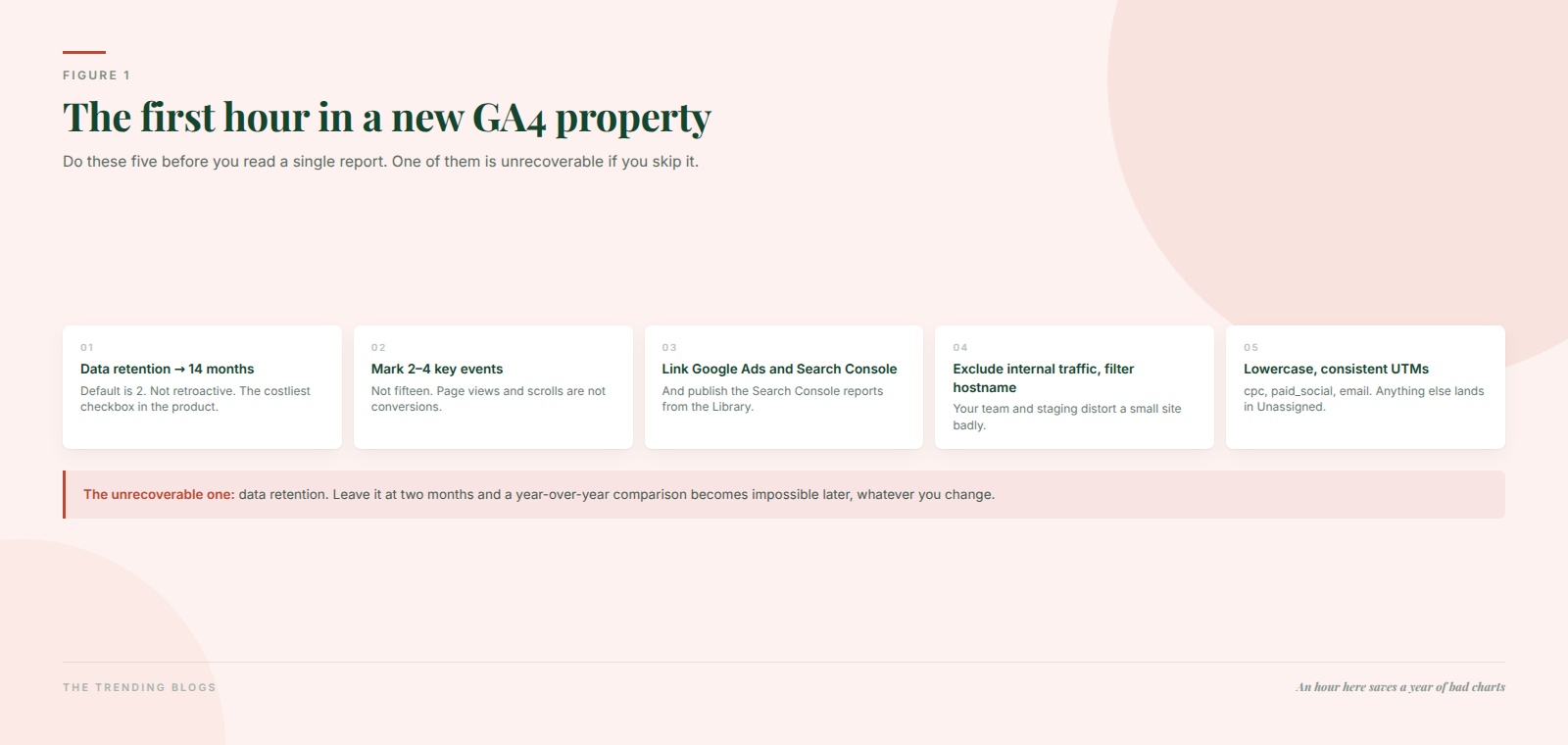
- Data retention → 14 months. The default is two months, the free maximum is 14, and the change is not retroactive. Leave it at two and you permanently lose the ability to run a year-over-year exploration. This is the single most consequential checkbox in the product.
- Mark two to four key events. Not fifteen. A key event is a business-important action; a conversion is the subset you export to Google Ads for bidding. Mark page views and scrolls as key events and your conversion rate becomes meaningless — and Google Ads starts bidding on noise.
- Link Google Ads and Search Console. The Ads link needs auto-tagging left on. The Search Console link adds query and organic landing page reports, but you also have to publish those reports from the Library or they stay hidden — which is why so many people believe GA4 has no query data.
- Exclude internal traffic and filter your hostname. Your own team’s visits and staging or spam hostnames both distort a small site badly. GA4 added a hostname filter in June 2026 for exactly this.
- Fix your UTMs. Lowercase, consistent mediums —
cpc,paid_social,email. Non-standard mediums fall into “Unassigned”, which is where most small business paid traffic goes to die.
GA4 for small business: the six reports that answer real questions
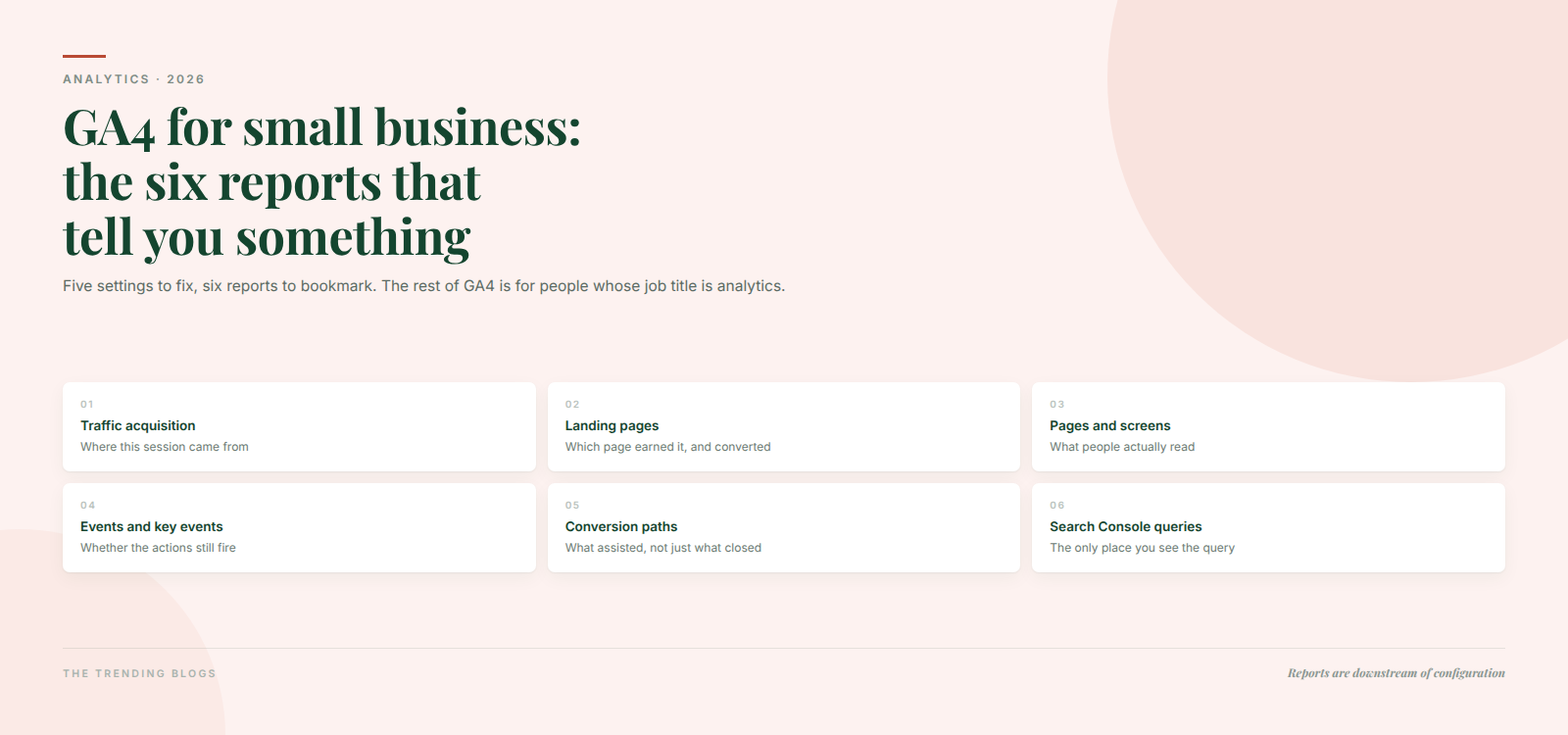
1. Traffic acquisition — “where did this visit come from?” Use the Session default channel group dimension, not any “First user” dimension. This distinction is the most common way small business owners misread their own data: first-user dimensions tell you where someone originally came from months ago, not what drove today’s session.
2. Landing pages — “which page earned the visit, and did it convert?” The best single report in GA4 for anyone doing both SEO and paid. It is where a weak page hiding behind good traffic becomes obvious.
3. Pages and screens — what people actually read once they are in. Useful for deciding what to write next and what to update.
4. Events and key events — whether the actions you care about are happening at all, and whether a tracking change quietly broke one. Check it monthly; a form that stopped reporting is indistinguishable from a bad month.
5. Advertising → conversion paths — the assisted view. Small businesses under-credit the channels that start journeys and over-credit the one that closes them. Look here before you cut a channel for “not converting”.
6. Search Console queries (once linked and published) — the only place you can see what people typed. GA4 has no query data of its own, at all.
Event, key event, conversion — the distinction that trips everyone
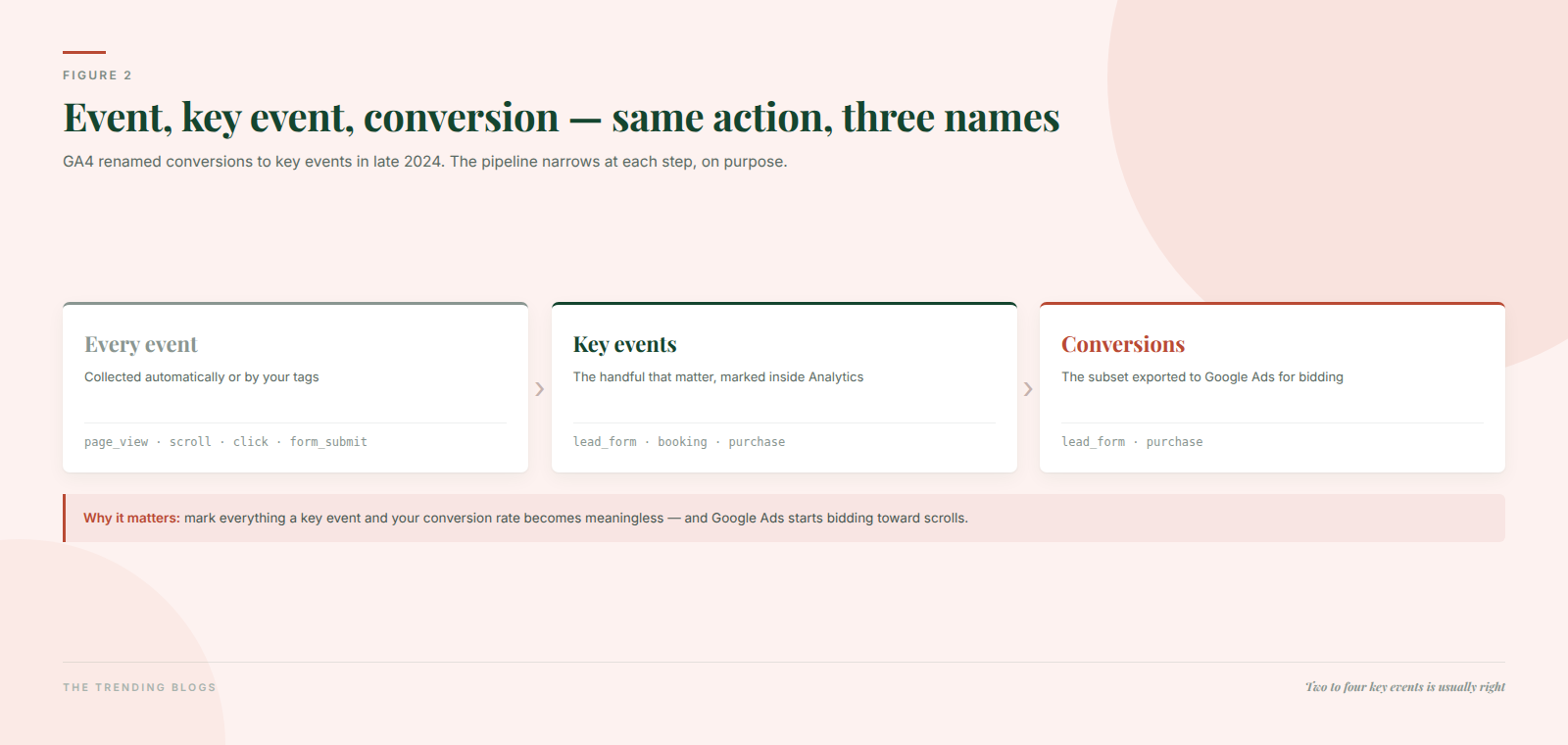
GA4 renamed conversions to key events in late 2024 and the terminology still causes arguments. The pipeline is simple: every event is collected, the handful that matter to the business are marked as key events inside Analytics, and the subset you export for bidding become conversions in Google Ads. Same action, different names in different places, on purpose.
Practical consequence: a lead form submit should be a key event and a conversion. A newsletter signup should probably be a key event only. A scroll to 90% should be neither.
What changed in GA4 recently
The most useful addition for anyone watching AI traffic: GA4 added an AI Assistant default channel group in May 2026, which auto-assigns the ai-assistant medium and groups ChatGPT, Gemini and Claude referrals into their own channel. No custom channel group needed any more.
Also worth knowing: a Gemini-powered conversational analysis feature arrived in beta in 2026, along with a Task Assistant for guided setup, native custom dashboards in August 2026, real-time reports extended to four hours, a Source Group dimension that consolidates messy sources, custom conversion windows, and Google Business Profile linking that brings calls, directions and bookings into GA4 — genuinely useful if you are a local business.
The gaps nobody tells you about
AI Overviews clicks are not separable. Traffic from a Google AI Overview arrives in GA4 as ordinary google / organic. Search Console mixes it into standard Search data too. If someone offers to report your “AI Overview traffic” from GA4, they are estimating.
The AI Assistant channel is referrer-dependent. In-app browsers, mobile apps and copy-pasted links land in Direct, and Google has not published the full list of recognised referrers. It is a floor on your AI traffic, not a measurement of it.
Consent modelling is out of reach for most small sites. Behavioural modelling requires at least 1,000 events a day with analytics storage denied for seven days, plus 1,000 daily users with consent granted on seven of the previous 28 days. Below that, denied consent is simply missing data — it is not modelled back in.
Thresholding hides your smallest rows. Demographics, interests and tiny segments get withheld to protect identity, which hits small sites hardest. And Explorations sample above roughly 10 million events, though standard reports do not.
What GA4 is not for
Search Console is the only source of query, impression and CTR data. Looker Studio is a presentation layer — it cannot fix bad GA4 configuration, only make it prettier. A BigQuery export is the only real answer to the 14-month wall. Privacy-first tools like Plausible or Matomo trade GA4’s modelling and Ads integration for simpler, more resilient counting; for a content site with no paid media, that trade often makes sense.
Three mistakes that make the data useless
Leaving retention at two months. Unrecoverable. Change it today, even if you read nothing else here.
Marking everything as a key event. It destroys your conversion rate as a number and, once exported, teaches Google Ads to bid toward scrolls.
Reading first-user dimensions as campaign performance, on top of inconsistent UTMs that dump paid traffic into Unassigned. Both produce confident, wrong conclusions about which channel works.
Retargeting is where GA4 flatters you most, because it takes credit for people who were already coming back. Here is how to measure retargeting honestly.
Where analytics fits into the rest of the work
Measurement is only worth the setup time if it changes a decision. Two decisions it should change directly: which landing page gets fixed next — the checks in our landing page checklist for paid ads are ranked roughly by impact, and the landing pages report tells you where to apply them — and how much you spend next quarter, which is easier to argue once you know your real cost per lead. That calculation is the whole basis of how much a small business should spend on marketing.
Two more threads worth pulling. If a page is slow, the landing pages report will show it as a traffic problem long before anyone calls it a speed problem — our load time case study covers the diagnosis. And since GA4 cannot isolate AI-driven visits, the way to know whether AI search is working for you is to check whether you are being cited in the first place, which we cover in AI search optimization — part of the broader shift described in how AI is changing digital marketing in 2026.
Set the five settings, bookmark the six reports, and check them once a month. That is the whole job for a small business, and it beats a dashboard nobody opens.
Common questions
Is GA4 free for small businesses?
Yes. The limits you will meet are on data retention (14 months on the free tier) and on sampling inside Explorations above roughly 10 million events. Neither is a bill; both are reasons to consider a BigQuery export if you want history.
What is the difference between key events and conversions?
A key event is an action you have told Analytics matters. A conversion is the subset of those you export to Google Ads for bidding. Same underlying event, different name depending on which product you are looking at.
Why does GA4 show so much “Unassigned” traffic?
Almost always UTM parameters that do not match GA4’s expected channel definitions — an uppercase medium, or a made-up one like utm_medium=ads. Standardise on lowercase cpc, paid_social, email and the bucket shrinks.
Does ChatGPT traffic show up in GA4?
Partly. Since May 2026 GA4 has an AI Assistant default channel group that catches recognised referrals from assistants. But in-app browsers, mobile apps and copy-pasted links still land in Direct, so treat the number as a floor. Clicks from Google’s AI Overviews are a separate problem — those arrive as ordinary organic Google traffic and cannot be isolated at all.
