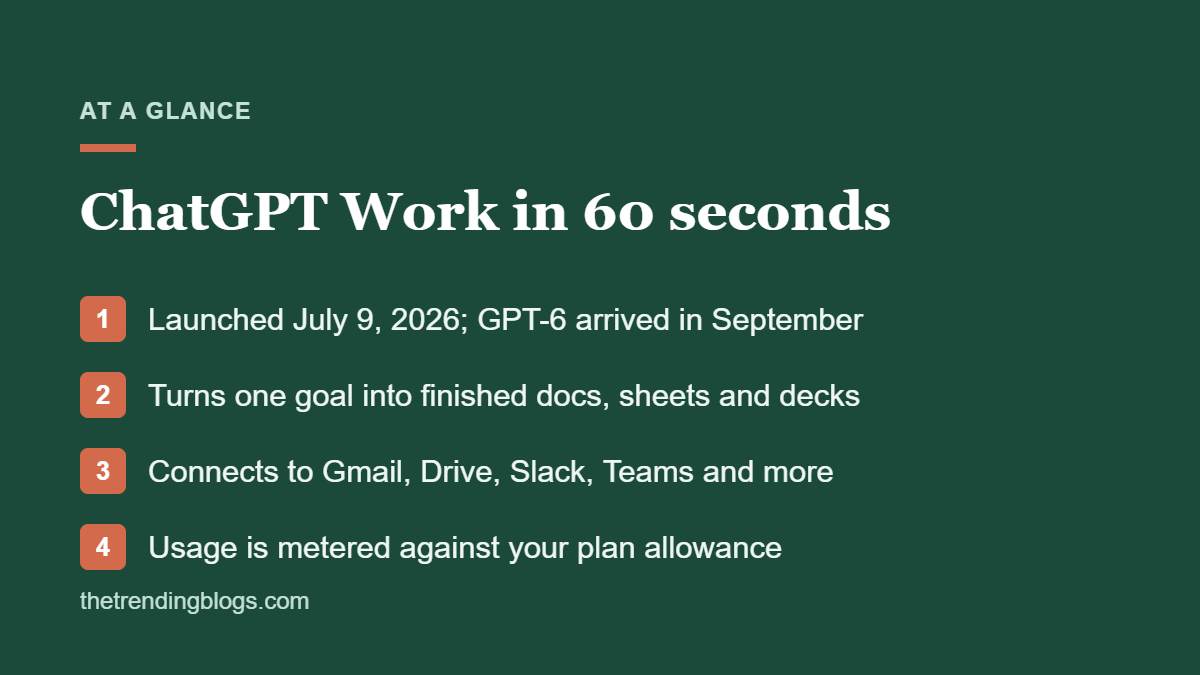
ChatGPT Work is the biggest change to ChatGPT since it launched. Instead of answering one message at a time, it takes a goal, works across your apps and files for minutes or hours, and hands back finished work: a spreadsheet, a slide deck, a report or a simple web app. OpenAI launched ChatGPT Work on July 9, 2026, and in September its newest model family, GPT-6, arrived in Work before it reached regular chat.
For a small business, that sounds like an extra employee, especially when you’re stretched thin. Sometimes it is. Other times, though, it’s an expensive way to get a messy draft. This guide covers what it can do, which plans include it, how usage is billed, seven tasks worth handing off first and how to set it up safely.
What is ChatGPT Work?
ChatGPT Work is an AI agent built into ChatGPT. First, you describe the outcome you want and pick the apps and files it can use. Then it plans the steps, does the research and builds the output. You can watch its progress, redirect it halfway through and approve important actions before they happen.
According to The Next Web’s launch coverage, OpenAI’s own examples include analysing budget variances, writing marketing briefs, preparing sales materials and building executive dashboards. In other words, the output is real files, such as Word documents, Excel sheets and decks, not just chat replies.
ChatGPT Work vs regular ChatGPT
| ChatGPT chat | ChatGPT Work | |
|---|---|---|
| How you use it | Back-and-forth conversation | Hand over a goal and review the result |
| Task length | Seconds to a few minutes | Minutes to hours |
| Output | Text answers, images, short files | Finished docs, sheets, decks, web apps |
| Access to your tools | Limited, one step at a time | Pulls context across connected apps and files |
| Billing | Included in your plan’s message limits | Metered usage that depends on task size |
A good rule: use chat when you want to think something through, and Work when you already know what “done” looks like.
Which plans include ChatGPT Work?
At launch, Work rolled out on web and mobile to Pro, Enterprise and Edu users first, with Plus and Business plans following within days. The ChatGPT desktop app for Mac and Windows brought a limited version to every plan, including Free. The ChatGPT pricing page now lists Work as limited on Free and Go (desktop only) and available on desktop, web and mobile for Plus and Pro.
In September 2026, OpenAI made GPT-6 available in Work and Codex but not in standard chat for most plans, as TechRadar explained. So if you want OpenAI’s newest model, Work is where you’ll find it.
How ChatGPT Work usage is billed
This is the part to watch, because Work tasks are metered against your plan’s allowance, and bigger tasks use more. Work shares that pool with Codex and other agents, and OpenAI hasn’t published a simple rate card. Meanwhile, Enterprise and Edu admins can set spend controls. On smaller plans, the practical advice is to start with a few well-defined tasks and see how quickly you use your allowance.
What apps can ChatGPT Work connect to?
Work connects to other tools through plugins, which you can call with an @ mention or let ChatGPT choose. At launch, the directory included Google Drive, Gmail, Outlook, Slack, Microsoft Teams, SharePoint, Salesforce, Canva, Dropbox, Zoom, LinkedIn, GitHub and Adobe.
Two caveats. First, reading data and acting on it are different permissions. For example, a plugin that can read your inbox may not be allowed to send from it. Second, some features also depend on your other subscriptions, such as which Google Workspace or Microsoft plan you’re on. Test the exact workflow you care about before you rely on it.
7 small business tasks worth handing to ChatGPT Work
1. The monthly marketing report
For example, give it your GA4 export, ad platform CSVs and last month’s report, and ask for the same report with this month’s numbers and three things that changed. If your reports need a rethink first, start with our guide to GA4 reports that matter for small business.
2. Lead follow-up triage
Connect your inbox or CRM and ask it to list every lead from the past week with no reply, draft a follow-up for each and wait for your approval before anything is sent.
3. Competitor and pricing research
Ask for a one-page brief on five competitors: services, published prices, offers, reviews and how they describe themselves. Check the sources it cites before you act on them.
4. Proposals and quotes from a template
Upload your best proposal as a template, then give it the client’s brief. It can then produce a first draft in your format and style in a fraction of the time.
5. Content briefs and blog drafts
In addition, Work can research a topic, outline a post and draft it in your voice. Edit before you publish. Our guides on AI ad copy that doesn’t sound like AI and getting cited by AI search apply here too.
6. Bookkeeping prep
Give it a folder of receipts and invoices and ask for a categorised spreadsheet your bookkeeper can review. It saves the boring part, but it doesn’t make the accounting decisions.
7. A landing page or simple tool
Work can also build simple web apps and pages. Use it for a campaign landing page draft or an internal calculator, then run the result through our landing page checklist before it goes live.
What not to hand off
Work is good at gathering, drafting and formatting. Keep a human in charge of:
- Sending emails or messages to customers without review
- Payments, refunds and anything that moves money
- Legal, HR and hiring decisions
- Uploading customer personal data you haven’t cleared for AI use
- Anything you can’t easily check or undo
How to set up ChatGPT Work safely
- Use a business plan for company data. ChatGPT Business and Enterprise come with admin controls and don’t train on your business data by default.
- Start with read-only access. Connect apps with the lowest permissions first and add write access only when a workflow needs it.
- Keep approvals on. Make sure important actions, like sending or deleting, wait for you.
- Write a style and template file. One short document with your tone, brand rules and templates improves every output.
- Pilot one workflow for two weeks. Track the time it saves and the time you spend fixing its work.
- Write down what’s allowed. A one-page AI policy for staff prevents surprises later.
ChatGPT Work vs Zapier, Make and n8n
In short, they solve different problems. Automation tools are best for the same steps every time a trigger fires, like adding a new lead to your CRM. Work is better for tasks that need judgement and a finished document, like a report or a proposal. Most businesses will therefore use both. Our Zapier vs Make vs n8n comparison helps you pick the automation side, and our list of AI automation ideas for small businesses has more workflows to try.
OpenAI’s small business program
On July 21, 2026, OpenAI launched a ChatGPT small business program with free webinars, in-person AI academies in the US, practical guides and partner integrations with tools like Shopify, Intuit, Dropbox, Slack, Atlassian and Wix. If you’re new to AI agents, it’s a low-cost way to learn the basics.
Common questions
Is ChatGPT Work free?
There’s a limited version in the ChatGPT desktop app on the Free plan. However, full access on web and mobile needs a paid plan such as Plus, Pro or Business, and usage is metered against your plan’s allowance.
Is it safe to connect Gmail or Google Drive to ChatGPT Work?
It can be, with sensible limits. Use a business plan, connect only the folders and accounts the task needs, start with read-only access and keep approvals on for any action that sends or changes something.
How is ChatGPT Work different from custom GPTs?
A custom GPT is a chat assistant with set instructions and files. Work is an agent that plans and carries out multi-step tasks across your apps and produces finished files.
Can ChatGPT Work replace a virtual assistant?
For research, reports and first drafts, it can cover a lot of what a VA does. It still needs someone to give clear instructions, check the output and handle customers, so most small businesses will use it to make their team faster, not to replace people.
