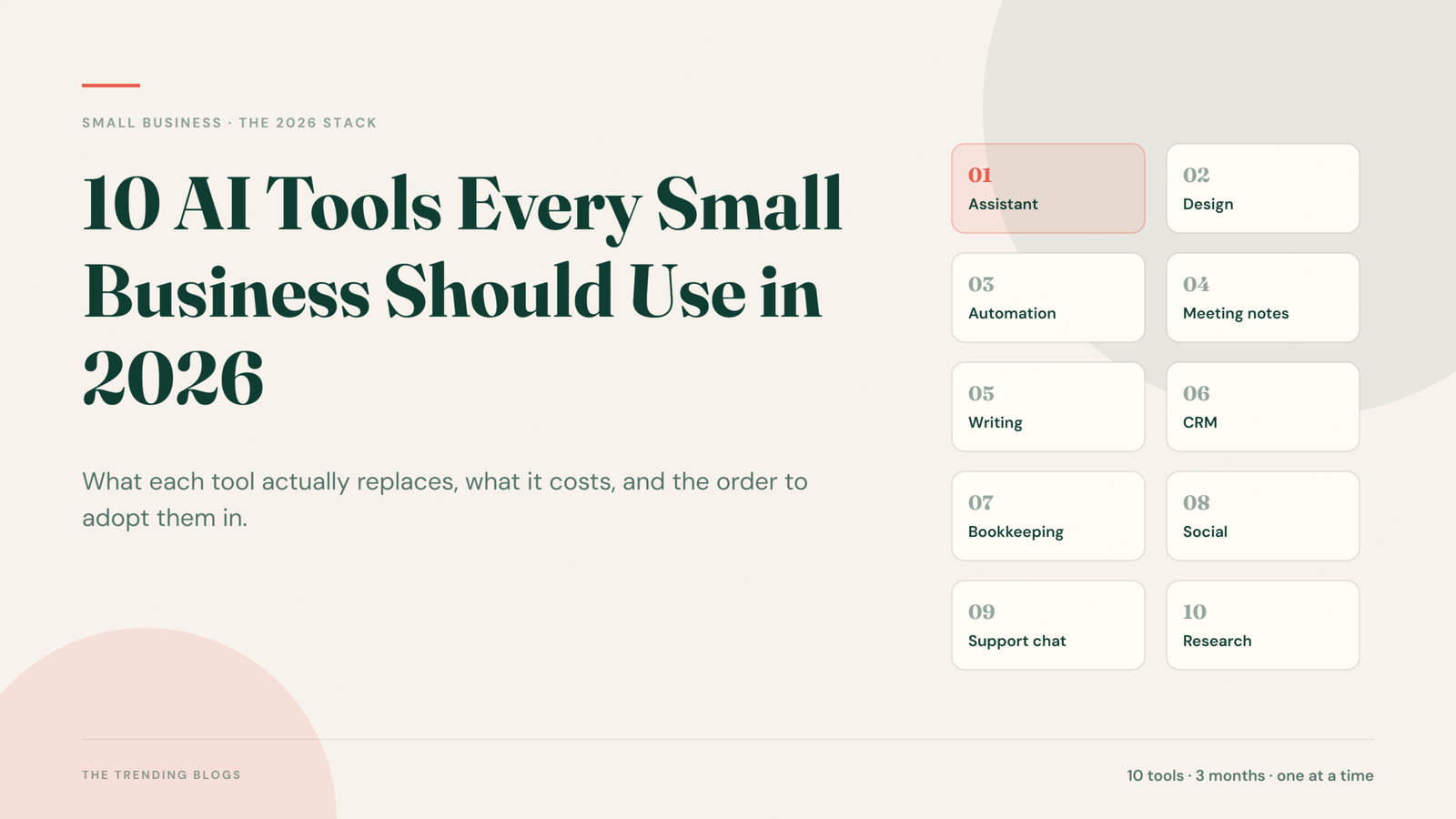
Most small business owners do not have an AI problem. They have a time problem. The invoices still need chasing, the social calendar is empty again, and someone has to answer the same five customer questions for the hundredth time this month. The right AI tools for small business owners fix the time problem first.
That is the honest case for AI tools for small business in 2026. Not because they are impressive, but because they quietly remove the work that never made you any money in the first place. The list below covers ten tools that earn their place in a small business stack, what each one is genuinely good at, and roughly what you should expect to pay.
Before You Add Another Subscription
A quick filter that saves a lot of wasted money: only adopt a tool if you can name the specific task it replaces and the number of hours it gives you back. If you cannot finish the sentence “this replaces the two hours I spend every Monday doing X”, skip it for now.
Start with one tool. Use it for three weeks. Only then add the next one. Stacking five new tools in a single month is the fastest way to end up paying for four of them and using none.
1. ChatGPT or Claude: Your General Purpose Assistant
If you only adopt one tool, make it a general assistant. Drafting proposals, rewriting a rambling email into three clear sentences, summarising a 40 page supplier contract, thinking through a pricing change out loud, turning meeting notes into an action list. This is the tool you will open every day.
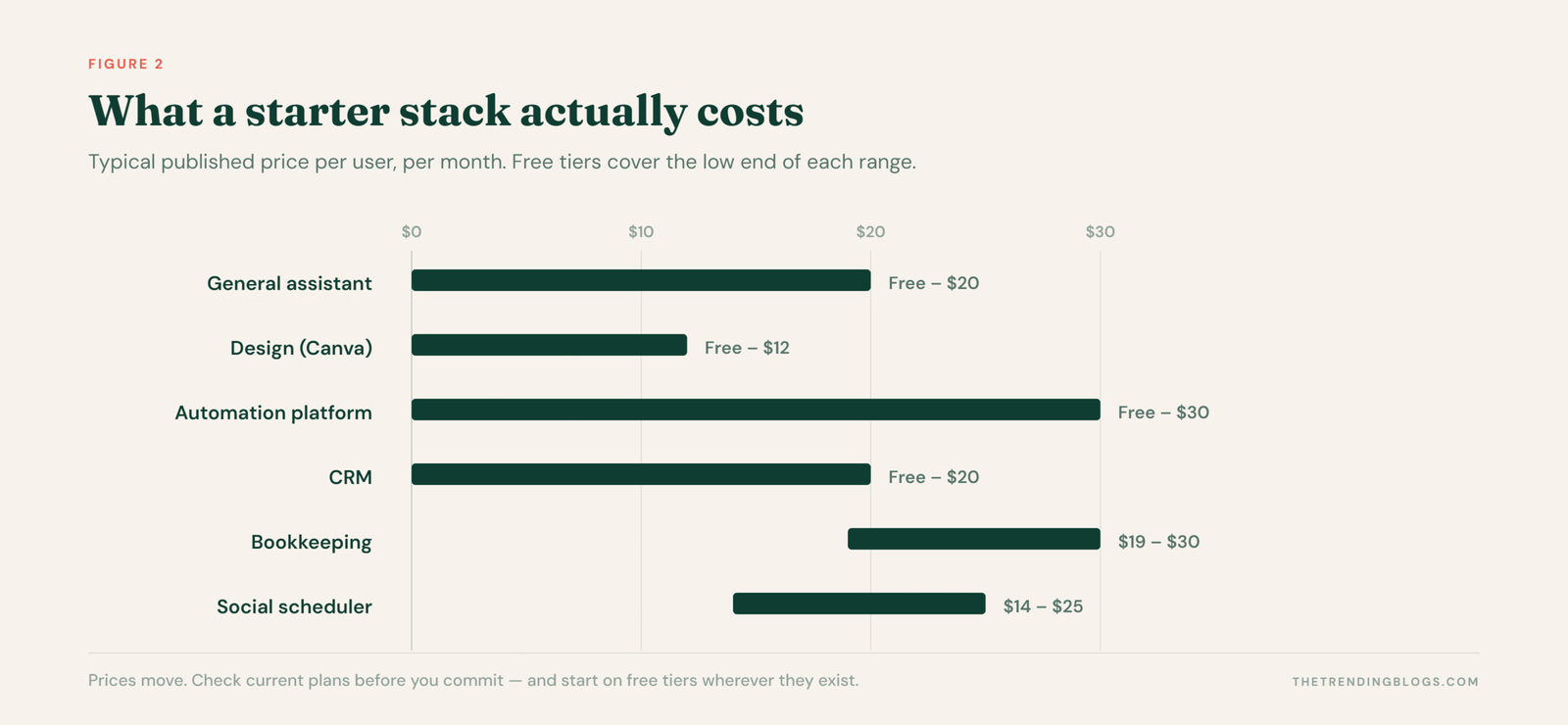
Both have usable free tiers, with paid plans commonly around 20 dollars a month per person. Start free, upgrade only when you hit the limits.
2. Canva: Design Without a Designer
Canva has become the default for small business visuals, and its AI features are the reason. Resize one design into eight formats, remove a background, generate a product mockup, or turn a blog post into a carousel without opening a design file.
The trick is to build a brand kit first with your fonts, colours and logo. Once that exists, every generated asset comes out looking like it belongs to your business rather than a stock template.
3. Zapier or Make: The Glue Between Everything
This is the least glamorous tool on the list and often the highest return. Automation platforms connect the apps you already use so data stops being copied by hand.
- New website enquiry lands in your CRM and triggers a text within 60 seconds
- Paid invoice posts a line into your accounting sheet automatically
- A five star review gets forwarded to the team channel; a one star review pings you directly
Free tiers handle simple jobs. Expect to pay roughly 20 to 30 dollars a month once you have several workflows running. If you are not sure what to connect first, start with these AI automation ideas that save hours every week.
4. Otter.ai or Fathom: Meeting Notes That Write Themselves
An AI notetaker joins your calls, transcribes them, and produces a summary with action items. For anyone doing client calls, quotes or site visits, it means you can actually listen instead of scribbling.
One rule: tell people they are being recorded and get their agreement. It is both good manners and, in many places, the law.
5. Grammarly: The Last Pass Before You Send
Small businesses are judged on details. A quote with three typos undermines the price on it. Grammarly sits across your browser, email and documents and catches the things you stop seeing after the third read, including tone that lands sharper than you intended.
6. HubSpot Free CRM: Stop Losing Leads in Your Inbox
Most small businesses lose more revenue to poor follow up than to poor marketing. A CRM with AI assistance tracks every enquiry, drafts follow up emails, and tells you which deals have gone quiet.
HubSpot has a genuinely usable free tier, which makes it a sensible starting point. The point is not the software. It is that no enquiry ever sits unanswered for a week again.
7. QuickBooks or Zoho Books: Cash Flow You Can See
Modern accounting software categorises transactions, matches receipts from a photo, flags unusual spending and forecasts your cash position. Plans commonly start around 19 to 30 dollars a month.
Use the AI for categorisation and reconciliation, not for tax decisions. Your accountant is still the one who signs off.
8. A Social Scheduler With AI: Buffer, Flick or Later
Posting consistently beats posting brilliantly. An AI assisted scheduler turns one idea into a week of posts, suggests captions and hashtags in your voice, and publishes on a schedule so you are not opening Instagram at 11pm.
Batch a month in one sitting. Two hours once a month replaces a daily scramble. For the social side specifically, see how small businesses can automate Instagram marketing.
9. An AI Chat or Voice Assistant for Customer Questions
Tools like Tidio, Intercom and AI receptionist services handle opening hours, pricing ranges, booking links and order status. Trained on your own FAQ page, they resolve a large share of enquiries without you touching them.
Always leave an obvious route to a human. A bot that traps people is worse than no bot at all.
10. Perplexity: Research and Competitor Intelligence
For anything that needs current information with sources attached, an AI search tool beats a general chatbot. Supplier comparisons, local regulation, what a competitor changed on their pricing page, what customers are complaining about in your category.
Always click through to at least one source before you act on the answer. It is also worth understanding how AI is changing digital marketing, because the same systems now sit between your business and your customers.
What This Costs and Where to Start
A workable starting stack for a one to five person business looks like this:
- Month one: a general assistant plus Canva. Learn to write good prompts.
- Month two: a CRM and an automation platform. Connect your enquiry form to follow up.
- Month three: a scheduler and a notetaker. Everything else is optional.
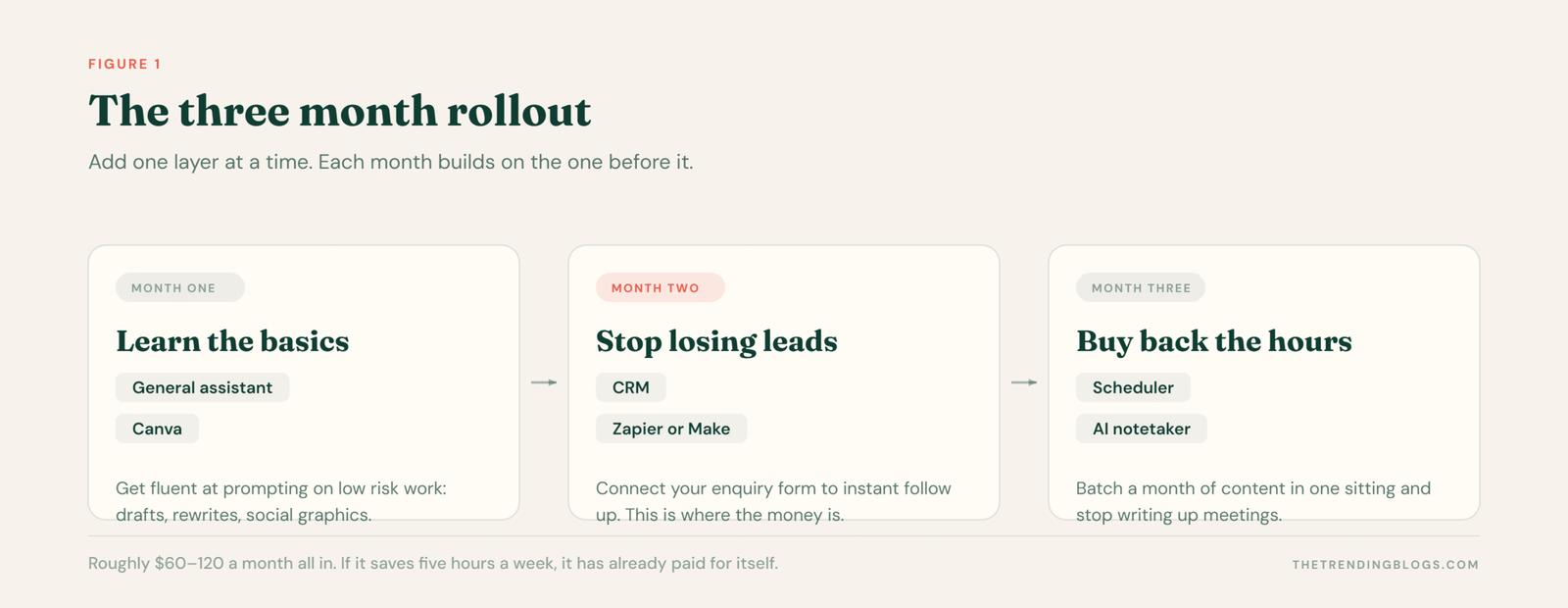
That is realistically 60 to 120 dollars a month. If it saves five hours a week, it has already paid for itself several times over.
Three Mistakes to Avoid
- Publishing AI output unedited. It reads generic and customers notice. Always add your own specifics, prices and examples.
- Feeding in sensitive data. Customer records, contracts and financial details need a tool with proper business terms, not a free consumer account.
- Automating a broken process. If your follow up is bad, automation just makes it bad faster. Fix the process first.
AI Tools for Small Business: Common Questions
Which AI tool should a small business start with?
A general assistant such as ChatGPT or Claude. It is the one you will open daily, it costs nothing to trial, and it teaches you how to prompt before you spend money on anything specialised.
How much do AI tools cost for a small business?
A realistic starter stack runs about 60 to 120 dollars a month for a one to five person business. Most categories have a free tier that covers low volumes, so you can start at almost nothing and upgrade only where you hit limits.
Can AI tools replace hiring someone?
Rarely, and that is the wrong way to judge them. They remove admin and repetition, which usually means you delay a hire or free an existing person for higher value work rather than replace a role outright.
Are free AI tools good enough for a small business?
For most small businesses, yes, at least at the start. Free tiers usually limit volume rather than capability, so upgrade only when a limit is actually costing you time.
Final Thoughts
None of these tools will grow your business on their own. What they do is hand back the hours you currently spend on admin, so you can spend them on the work only you can do: talking to customers, improving what you sell, and deciding where the business goes next.
Pick one. Use it properly for three weeks. Then pick the next.
Related Reading
- How AI Is Changing Digital Marketing in 2026
- AI Automation Ideas That Can Save Small Businesses Hours Every Week
- How to Use AI to Write Ad Copy That Doesn’t Sound Like AI
Read next: tools are the easy part. AI agents for small business covers what to hand over and what to keep human, and AI search optimization covers how to be the business those assistants recommend.
